Project 6
Okta SCIM Provisioning
Architecture
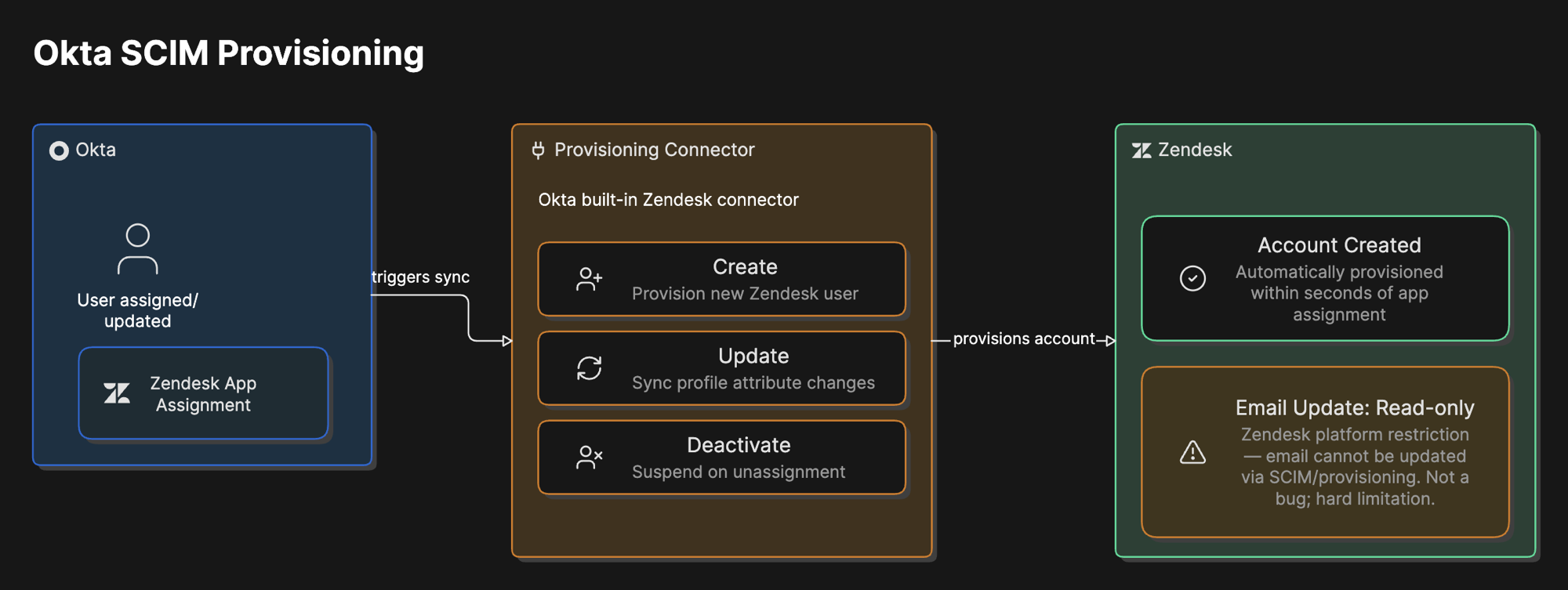
Overview
What was built
Automated the same provisioning and deprovisioning lifecycle as the Zendesk SCIM project, this time between Okta and Zendesk, using Okta's pre-built Zendesk connector rather than a direct SCIM endpoint, since Zendesk does not have full native SCIM support. Account creation, attribute updates, and deactivation all work through that connector.
A few standard operations, most notably email updates, are read-only on the Zendesk side regardless of which identity provider is driving them, which turned into the most substantial investigation in this project.
Why
Why it matters
This is the same business case as the Entra ID version of this integration, provisioning is what makes identity lifecycle management actually scale, just with a different identity provider and therefore a genuinely different set of constraints and failure modes to work through.
Real environments run more than one identity provider, and the specific limitations of whichever SaaS application sits on the other end do not change based on which IdP is driving it. That is exactly what showed up here.
How it works
The walkthrough
Step 1 of 3
Enable the connector
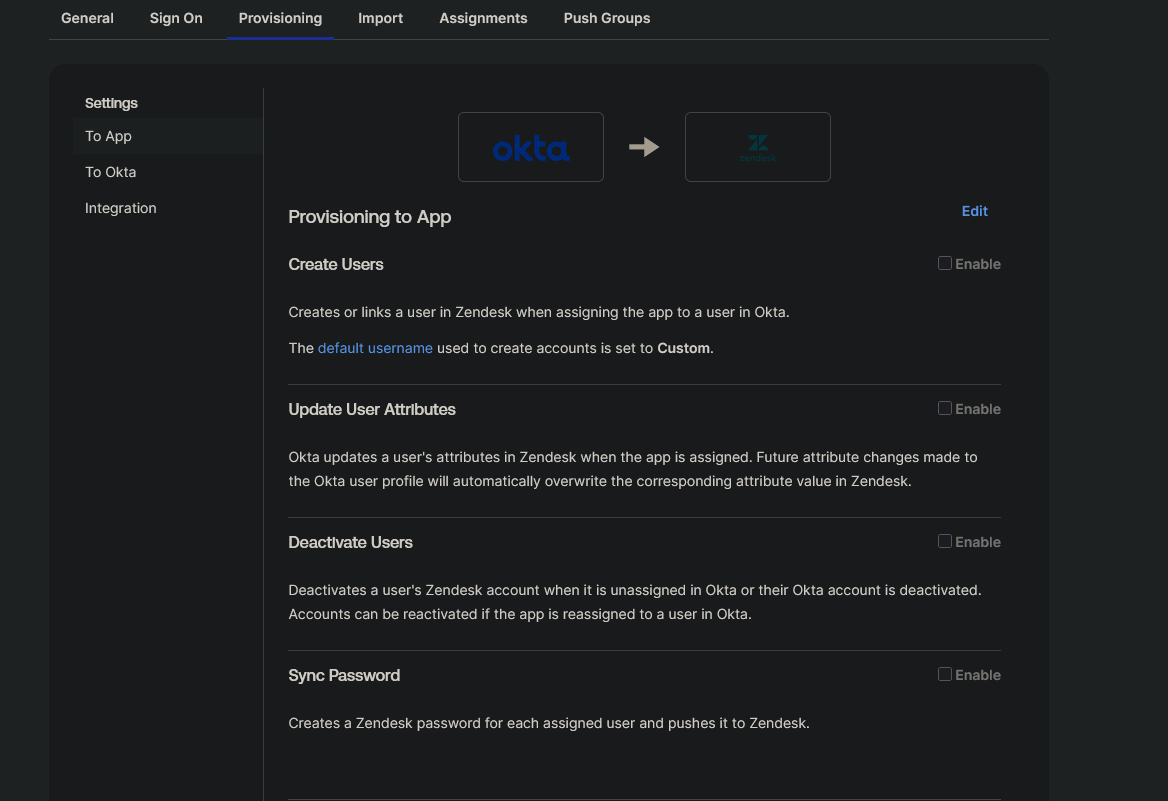
Enabled API integration on the Zendesk app in Okta, generated a Zendesk API token, and turned on the three lifecycle actions that matter: create users, update attributes, and deactivate users, with password sync explicitly disabled since SSO handles authentication, not local Zendesk passwords.
Step 2 of 3
Provision and deprovision a real test cycle
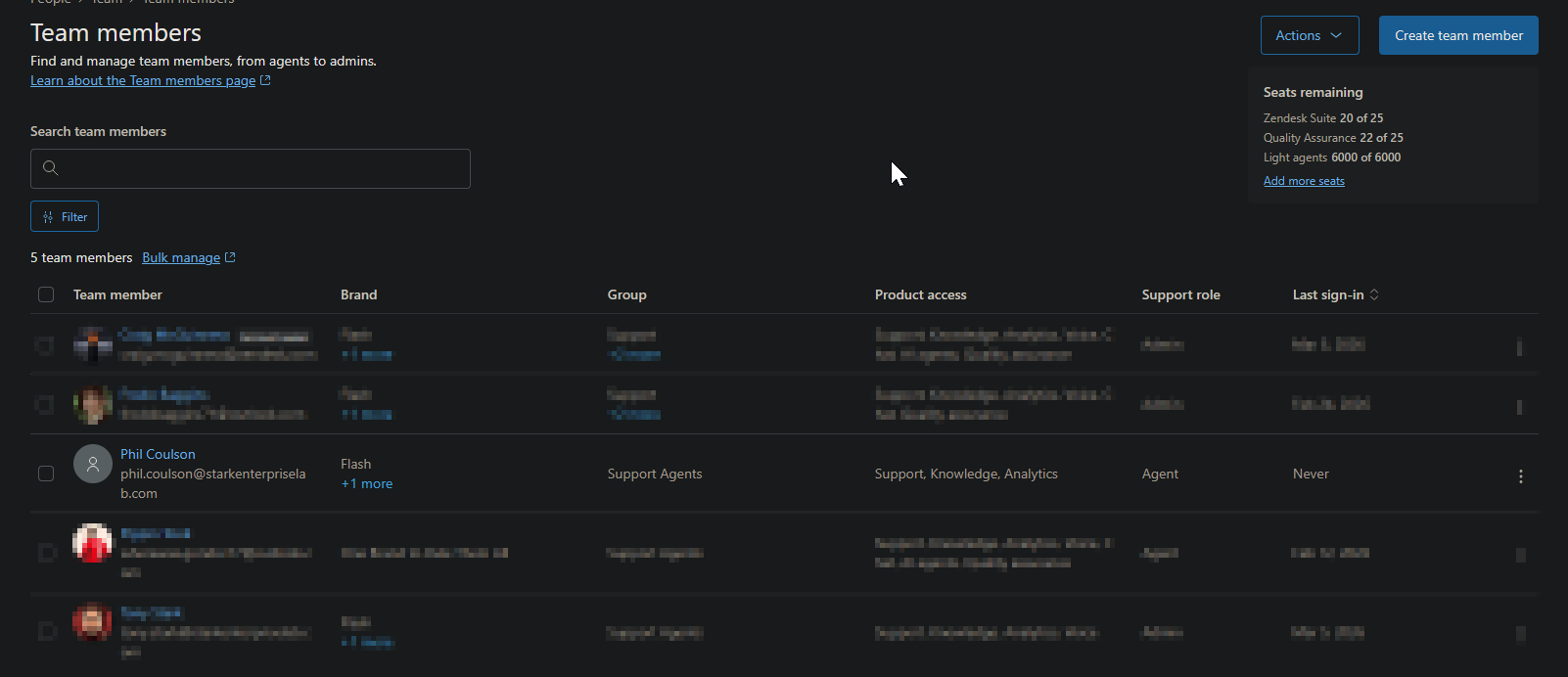
Assigned a test user to the app in Okta and watched the account appear in Zendesk automatically within seconds, no manual account creation. Unassigning that same user suspended their Zendesk account automatically rather than deleting it, preserving their history while cutting off access.
Step 3 of 3
Investigate the email update behavior
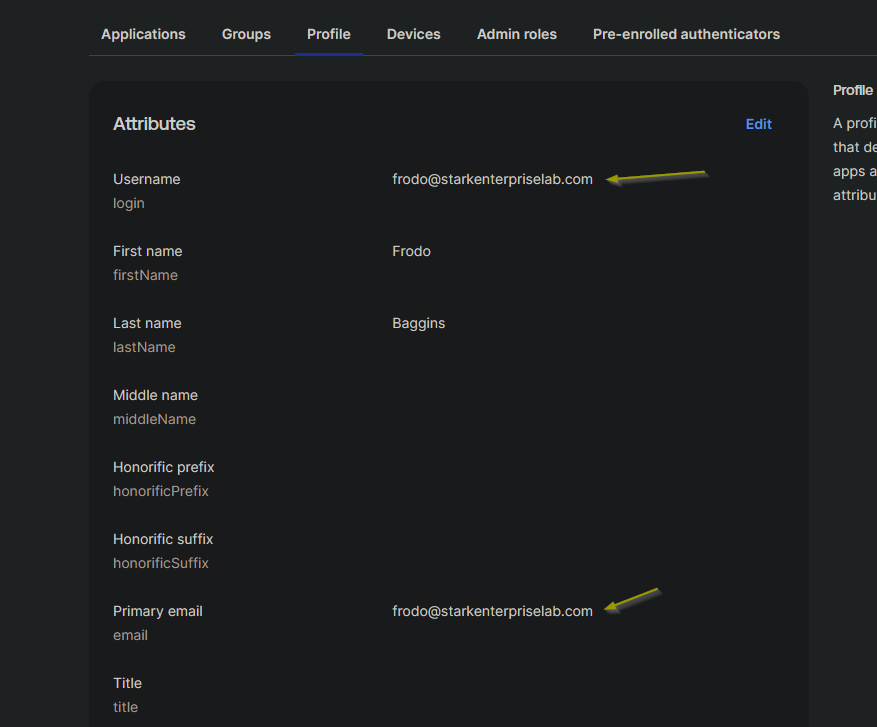
Updated a test user's email in Okta to check whether the change would sync to their existing Zendesk account. It did not. Zendesk created an entirely new account instead, which triggered a deeper investigation into why.
What went wrong
Honest account
The email update behavior was worth taking seriously rather than working around quickly. Zendesk treats email as the primary identifier for an account, so changing it in Okta looks to Zendesk like a brand new identity, not an update to an existing one.
I tried four separate approaches to fix it: mapping a stable external ID field to Okta's login attribute (it resolves to the same email value in a trial org, so it did not help), using Okta's Profile Editor to discover additional mappable attributes and attempting to use Okta's permanent internal user ID instead (not available as a mappable field in a trial-tier org), trying a different login-based expression through the Profile Editor (same result, tied to email), and finally attempting to map the email field directly, which Zendesk flatly rejected as read only.
That last result was the answer. Email is read-only in Zendesk through provisioning, a hard platform restriction, not a configuration mistake on Okta's side. In a production tenant, Okta's actual immutable user ID would be available for mapping and would solve this cleanly. In a trial org, it is not. The correct process either way is to update a changed email directly on the existing Zendesk account rather than relying on provisioning to carry the change through, and that holds regardless of which identity provider sits upstream of Zendesk.
What I learned
Takeaways
Four failed attempts at the same problem is not wasted time if each one rules something out for a specific, documented reason. What looks like an Okta misconfiguration at first can turn out to be a hard limitation on the receiving application's side instead, and the way to tell the difference is to keep narrowing down the cause systematically rather than assuming the first plausible explanation is the right one.
This investigation also confirmed that a licensing tier, trial versus production, can quietly remove the exact field you need to solve a problem, which is worth checking early rather than after several failed attempts.